
How to Print Stickers at Home (and When Not To)
To print stickers at home, set up your design at the final size, buy sticker sheets made for your printer type (inkjet or laser), print a test on plain paper, print on the sticker sheet with the right paper setting, let the ink dry and seal it, then cut the stickers out. It works well for a few stickers for planners, gifts, or tests. For waterproof stickers, many copies, or clean die-cut shapes, ordering them printed is usually easier.
In this article
What you need
- A home printer (inkjet or laser)
- Sticker sheets labeled for your printer type: sticker paper or printable vinyl
- Clear laminate sheets or a sticker sealer, if they'll get wet
- Scissors, a craft knife, or a cutting machine
- Your design, sized to the sticker you want
Not sure which sheets to buy? Sticker Paper Guide: Vinyl vs Paper, Inkjet vs Laser
How to print stickers at home, step by step
- Set up your file. Make the page the same size as your sheet and place your stickers at their final size, with a small gap between them.
- Match your sheets to your printer. Inkjet sheets in an inkjet printer, laser sheets in a laser printer.
- Print a test on plain paper. Check the size, the colors, and that nothing runs off the edge.
- Print on the sticker sheet. Choose the paper type and quality setting the package recommends. Load one sheet at a time.
- Let it dry, then seal. Wait until the ink is fully dry, then add a clear laminate sheet or sealer for water resistance.
- Cut them out. Cut by hand with scissors or a craft knife, or use a cutting machine for clean shapes.

Common problems and how to fix them
| Problem | Likely cause | Fix |
|---|---|---|
| Ink smears | Ink not dry, or inkjet ink on a laser sheet | Let it dry longer; use sheets made for your printer |
| Sheet curls or jams | Wrong sheet for the printer, or several sheets at once | Use the right sheet type; feed one sheet at a time |
| Colors look dull | Plain-paper setting or low quality mode | Choose the sticker or photo paper setting and high quality |
| White parts come out see-through on clear sheets | Home printers can't print white ink | Use white sheets, or design with dark colors |
| Stickers peel or smudge when wet | Paper sheet or no sealer | Use printable vinyl and a clear laminate |
| Cut edges look rough | Hand cutting around a detailed shape | Simplify the outline or use a cutting machine |
When printing at home makes sense
- You need a few stickers today.
- You're testing a design before ordering.
- They're for indoor use: planners, notebooks, labels on folders.
When to have them printed instead
- You need more than a sheet or two.
- They'll go on water bottles, laptops, cars, or anything outdoors.
- You're selling them or putting them on products.
- You want a clean die-cut shape without cutting by hand.
Our stickers are printed on premium white vinyl, laminated, and die-cut to your shape. They're waterproof, scratch-resistant, and UV-resistant. There's no minimum order, and our designers prepare your file for free.
Frequently asked questions
Can I print stickers with a regular printer?
Yes, on sticker sheets made for your printer type. Inkjet and laser printers both work.
Do I need a special printer for stickers?
No. You need sticker sheets that match your printer, and a cutter if you want precise shapes.
How do I make home-printed stickers waterproof?
Print on printable vinyl, let the ink dry, and cover it with a clear laminate sheet or sealer.
Why does my printer smear on sticker paper?
The ink isn't dry yet, or the sheet is made for a different printer type.
Can I print white on clear sticker paper at home?
Most home printers can't print white ink, so white areas stay transparent.
More answers: Materials & Finishes FAQ
Rather skip the printing and cutting?
Send us your design. We'll print, laminate, and cut it, and send a free proof first.
Keep reading
- How to Make Custom Stickers: Do It Yourself or Order Them?
- Sticker Paper Guide: Vinyl vs Paper, Inkjet vs Laser
- How to Design a Sticker That Prints Well
- Sticker Printer for Small Business: Buy One or Order Out?
- How to Start a Sticker Business
- How to Make Vinyl Stickers at Home (Step by Step)
- How to Make Stickers Without Sticker Paper (Tape, Labels, and More)
- Materials & Finishes FAQ
In this article
Related articles
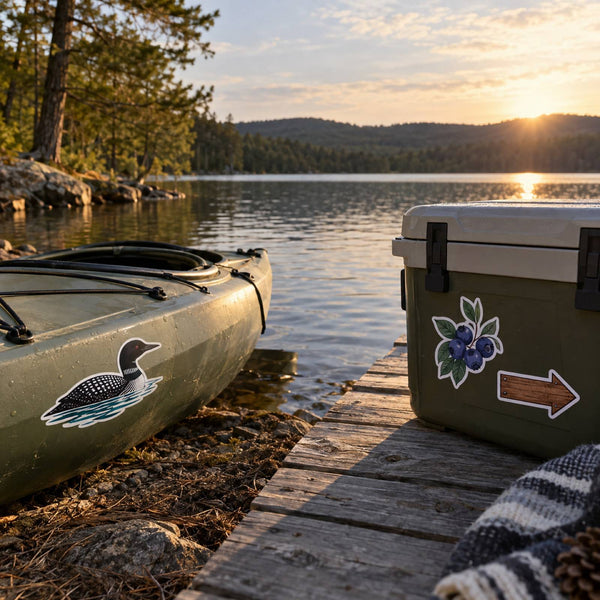
Sticker Basics
Outdoor Stickers: What Holds Up to Sun, Rain, and Cold
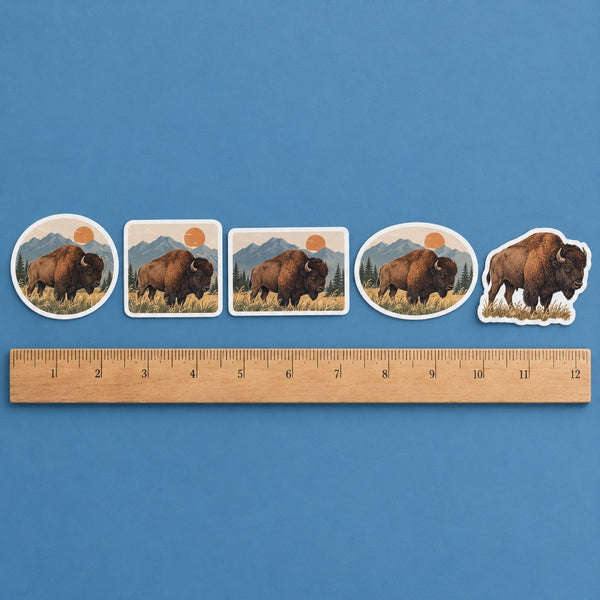
Sticker Basics
Sticker Shapes: Circle, Square, Rectangle, Oval, or Die-Cut?
Sticker Basics